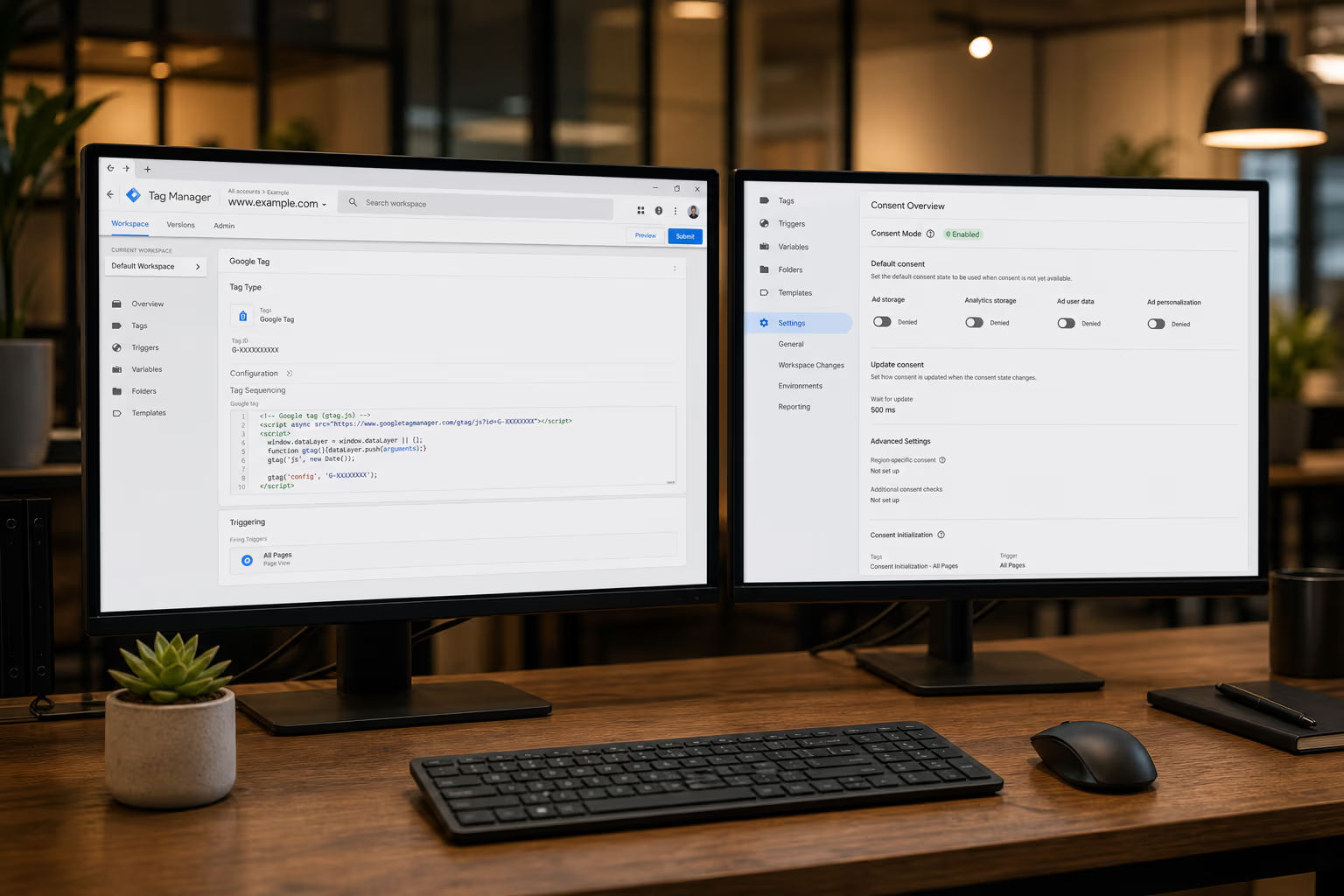
Since March 2024, Google requires Consent Mode V2 for any site running Google Ads or GA4 in the European Economic Area. If you haven’t implemented it, you’re losing conversion data, audience signals, and remarketing capabilities. This guide walks through what Consent Mode V2 is, why it matters, and how to implement it correctly.
What Is Google Consent Mode V2?
Consent Mode is a Google API that adjusts how Google tags behave based on a user’s consent choices. Version 2, rolled out in late 2023, added two new parameters: ad_user_data and ad_personalization. These control whether user data can be used for advertising and whether ads can be personalized.
The full list of consent parameters:
analytics_storage– controls GA4 cookiesad_storage– controls advertising cookies (Google Ads, Floodlight)ad_user_data(V2) – controls whether user data is sent to Google for advertisingad_personalization(V2) – controls personalized advertisingfunctionality_storage– controls functional cookies (language preferences, etc.)personalization_storage– controls personalization cookiessecurity_storage– controls security-related cookies
Why It Matters for Your Conversion Data
Without Consent Mode V2, Google treats all EEA traffic as if consent was denied. That means:
- No conversion data flows to Google Ads from EEA users
- Smart Bidding loses signal quality, driving up CPA
- Remarketing audiences shrink because Google can’t build lists
- Attribution gaps grow, making it harder to justify ad spend
With Consent Mode V2 properly implemented, Google’s behavioral modeling recovers an estimated 70-85% of the conversion data that would otherwise be lost. It does this by modeling conversions from unconsented sessions based on patterns from consented ones.
Step 1: Choose a Consent Management Platform (CMP)
Your CMP is the tool that shows the cookie banner, collects user consent, and communicates consent state to your tags. Pick one that supports Google Consent Mode V2 natively.
Recommended CMPs:
- CookieBeam – lightweight CMP built specifically for Google Consent Mode V2. Clean GTM integration, granular category control, and minimal page speed impact. Works well for sites using GTM as the primary tag management layer.
- Cookiebot (Usercentrics) – widely adopted, automatic cookie scanning, TCF 2.2 certified. Heavier on page load but comprehensive.
- Osano – enterprise-grade with automatic cookie discovery. Good for multi-domain setups.
- Complianz – WordPress-native plugin. Solid choice if your site runs on WordPress and you want everything managed from the WP admin.
- OneTrust – enterprise platform with full privacy management suite. Overkill for most mid-market sites but necessary for large organizations.
Step 2: Set Default Consent State in GTM
Before any tags fire, you need to set the default consent state. In Google Tag Manager, this is done with a Consent Initialization trigger (fires before All Pages).
Create a custom HTML tag with this code:
window.dataLayer = window.dataLayer || [];
function gtag(){dataLayer.push(arguments);}

gtag('consent', 'default', {
  'analytics_storage': 'denied',
  'ad_storage': 'denied',
  'ad_user_data': 'denied',
  'ad_personalization': 'denied',
  'functionality_storage': 'denied',
  'personalization_storage': 'denied',
  'security_storage': 'granted',
  'wait_for_update': 500
});
Set the trigger to “Consent Initialization – All Pages” so it fires before everything else. The wait_for_update: 500 tells Google tags to wait 500ms for a consent update from your CMP before proceeding with the default (denied) state.
Step 3: Configure Your CMP to Update Consent
When a user interacts with the cookie banner (accepts all, rejects, or customizes), your CMP needs to fire a gtag('consent', 'update', {...}) call. Most CMPs that support Consent Mode V2 do this automatically.
Verify it works by opening Chrome DevTools console and looking for consent events in the dataLayer after clicking Accept/Reject. You should see the consent parameters change from denied to granted.
Step 4: Gate GTM Tags by Consent
In GTM, every tag has a “Consent Settings” section. Configure each tag’s built-in consent checks:
- GA4 Configuration/Event tags: require
analytics_storage - Google Ads Conversion Tracking: require
ad_storage+ad_user_data - Google Ads Remarketing: require
ad_storage+ad_personalization - Meta Pixel, LinkedIn Insight, TikTok: require
ad_storage - HubSpot tracking: require
analytics_storage
Tags with consent requirements won’t fire until those consent types are granted. If a user never consents, the tags never fire. Google’s behavioral modeling fills the data gap on the backend.
Step 5: Verify the Implementation
Verification is the step most implementations skip, and where most break. Check these things:
- Open your site in an incognito window
- Open Chrome DevTools > Network tab
- Verify no Google/ad network requests fire before you interact with the banner
- Click “Reject All” and confirm tracking tags stay suppressed
- Clear cookies, reload, click “Accept All” and confirm tags fire
- Check GTM Preview mode: consent state should update from denied to granted after banner interaction
- Verify in GA4 DebugView that events arrive with consent parameters
Common Mistakes
- Forgetting ad_user_data and ad_personalization: The V2 parameters. Without them, Google Ads won’t receive your conversion data from EEA users even if ad_storage is granted.
- CMP loading after GTM: If your consent management script loads after GTM, tags can fire with default (denied) state before the CMP has a chance to check stored consent. Load the CMP before or alongside GTM.
- Not setting wait_for_update: Without this, Google tags may fire with denied state before the CMP responds, even if the user previously consented. 500ms is the recommended value.
- Hardcoding consent to granted: Some implementations set everything to granted by default “because we’re not in the EU.” Don’t. Google’s crawlers detect this and may flag your Consent Mode as non-functional.
Need Help?
Consent Mode V2 implementation touches GTM, GA4, Google Ads, your CMP, and potentially HubSpot and other marketing tools. Getting it right requires testing across all of them.
Our Consent & Privacy Compliance service covers the full implementation: CMP setup, GTM consent gating, Consent Mode V2 configuration, and verification with network-level evidence. We also audit your existing setup to find gaps you might have missed.